

Key Takeaways:
- Poor inventory control drains revenue through stockouts, overstock, and waste.
- Dynamics 365 offers real-time stock visibility across every warehouse and store.
- Automated reordering and forecasting help maintain optimal stock levels year-round.
- Serial and batch tracking simplify recalls and support regulatory compliance.
- Business Central suits growing firms; Supply Chain Management suits complex enterprises.
- A phased implementation with clean data and trained users maximizes ROI.
Every product sitting unsold on a shelf is cash your business cannot use, and every empty shelf is a sale handed straight to a competitor. In retail alone, this imbalance between too much and too little stock, known as inventory distortion, costs businesses $1.73 trillion a year, or about 6.5% of global retail sales, according to IHL Group1. Manufacturers and distributors feel the same pain in a different form: idle raw materials, stalled production lines, and orders that ship late.
Fortunately, most of these losses are preventable. When you know what you have, where it sits, and when you will need more, you can cut carrying costs, free up working capital, and keep customers coming back. That’s where Dynamics 365 comes in.
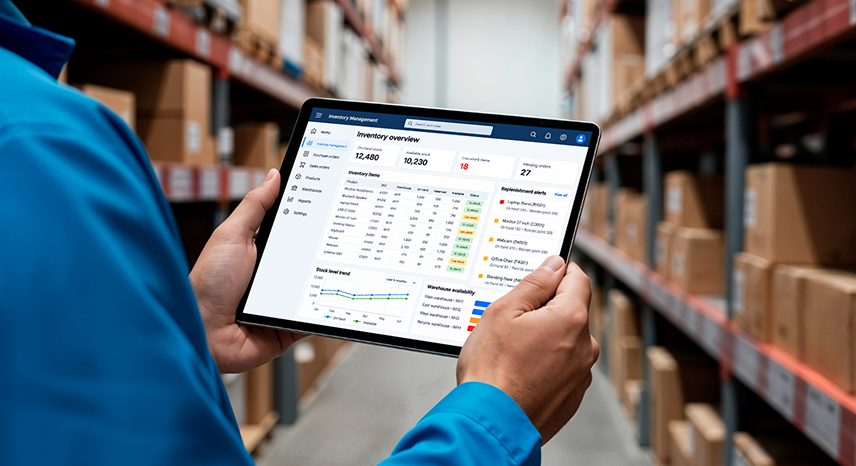
In this article, we will talk about different aspects of inventory management. We will also learn how platforms like Microsoft Dynamics 365 play a crucial role in streamlining inventory management.
What is Inventory Management?
Inventory management is the process of overseeing and controlling the goods an organization has in stock. It encompasses ordering, storing, and utilizing the inventory a business either sells or uses for making the finished product. Effective inventory management enables you to strike the right balance between demand and supply, so the right products are available in the right quantity at the right time.
Now, the definition of what’s counted as inventory can be somewhat confusing. Here are the different types of inventory an organization could possess:
| Raw Materials | Items used for making finished products |
| Work-in-Progress (WIP) | Items in the process of becoming finished products |
| Finished Goods | Products that are ready to be sold |
| Maintenance, Repair, and Operating (MRO) Goods | Supplies required to keep production running |
Why is Inventory Management Crucial?
Any organization that sells or manufactures physical goods needs to manage their inventory properly in order to stay viable. If you don’t receive supplies on time to sell or produce the finished product, you’ll likely run out of business sooner or later. Poor inventory management causes businesses to lose up to 11%2 of their annual revenue. However, stock shortages are just one aspect of poor inventory management. Many times, businesses end up ordering more inventory when they can’t predict demand accurately. This creates a cash flow crunch. In the case of perishable goods, overstocking may cause the stock to become outdated or expire very soon. This may directly affect the bottom line.
Additionally, too much unsold stock inflates inventory carrying costs. It also creates an additional tax burden. Fortunately, most of these bottlenecks can be overcome by adopting certain best practices and leveraging a Microsoft Dynamics inventory management solution like Microsoft Dynamics 365.
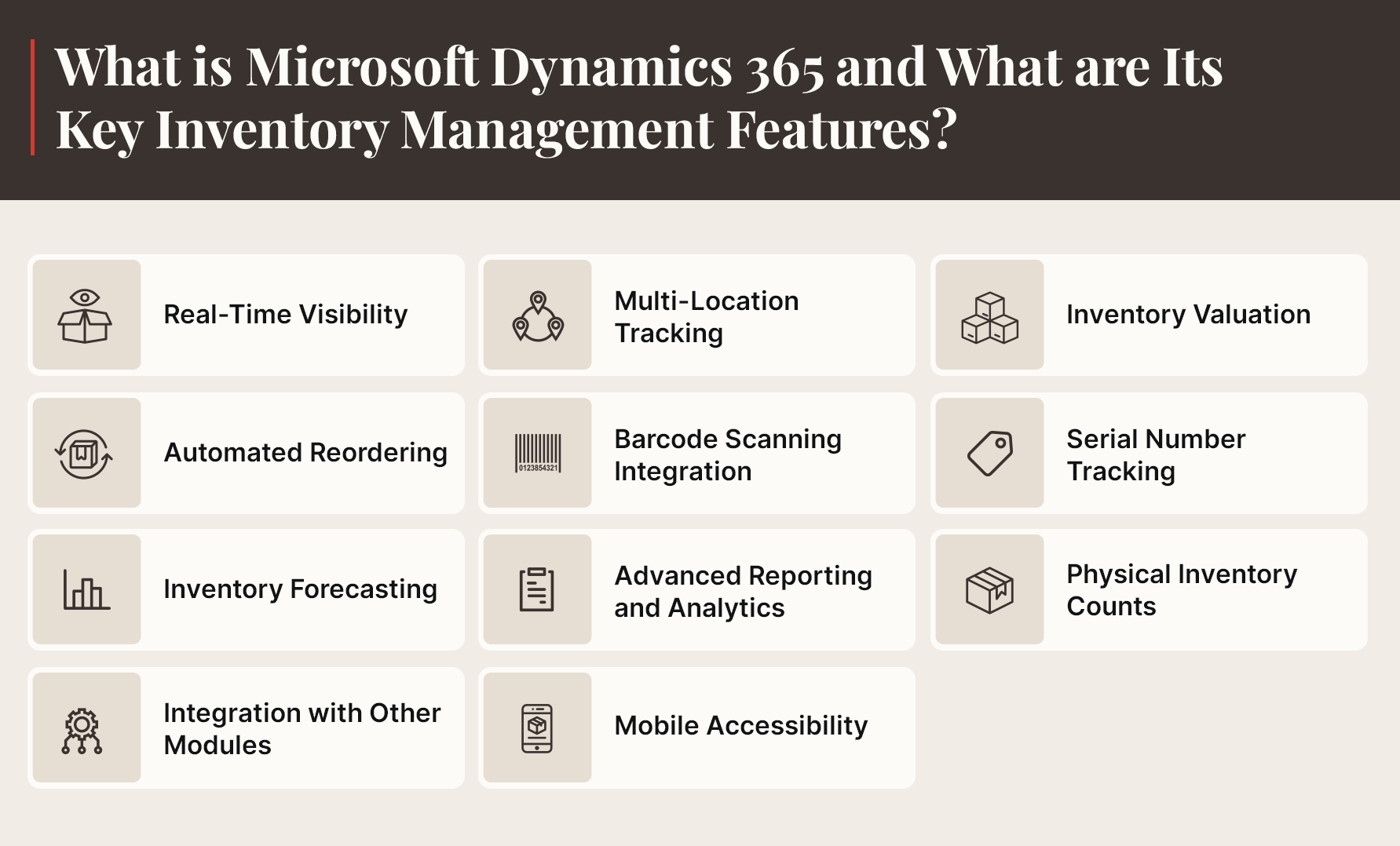
Microsoft Dynamics 365 is a powerful cloud-based ERP solution that enables your business to streamline operational processes. It provides a comprehensive set of tools and features that allow for seamless inventory management.
Here are the essential features of Microsoft Dynamics 365 that make inventory management a breeze:
1. Real-Time Visibility
Microsoft Dynamics offers your business complete, up-to-date information on all inventory data, including item details, quantities, locations, and transaction history. This helps maintain accurate inventory across various outlets and warehouses and meet customer needs.
Real-time visibility into inventory allows businesses to respond quickly to fluctuations in demand and supply. This helps avoid scenarios of overstocking or stockouts. Additionally, this data could be integrated with analytical platforms like Power BI to forecast demand and proactively adjust stock levels.
2. Multi-Location Tracking
Most large businesses have multiple distribution centers or warehouses. Dynamics 365 allows them to monitor inventory across these locations from a unified interface. Multi-location tracking supports business operations in many ways. First, it allows organizations to operate at peak efficiency, reducing errors and discrepancies. It also helps optimize inventory distribution so that warehouses with higher demand are always adequately stocked. In addition, support for different currencies and geography-specific tax regulations makes financial management painless.
The Definitive Guide to Dynamics 365 for Retail
3. Inventory Valuation
Dynamics 365 allows businesses to calculate the actual cost of inventory, helping them stay profitable. The platform generates inventory value reports that include details about their inventory’s physical and financial quantities. These reports let users view the values of the cost of goods sold (COGS) and work-in-process (WIP); these insights improve their financial planning and decision-making capabilities.
Additionally, the platform supports different inventory valuation methods such as FIFO (first in, first out), LIFO (last in, first out), and average cost. As a result, users have the option to choose the method they deem fit. Dynamics 365 also allows businesses to attribute expenses such as transportation fees to specific items in their inventory. This makes sure the financial statements reflect the true cost of every item.
4. Automated Reordering
Dynamics 365 comes with an automated reordering feature that automatically generates purchase orders when stock levels drop below a certain pre-defined threshold (reorder point). This makes sure the inventory gets replenished in a timely manner, reducing the possibility of stockouts. Since the reordering process is automated, the chances of human-induced errors are also minimized. Also, users can leverage historical purchase and sales data to adjust the reorder point, further enhancing business efficiency.
5. Barcode Scanning Integration
Using Dynamics 365, it is possible to integrate barcode scanning with inventory management. This integration supports business operations in various ways. Firstly, it introduces a high degree of accuracy in managing stock levels, as users keep their records updated through timely scanning.
The integration also reduces the need for cumbersome paperwork and manual entry of items; this minimizes the scope for errors. It also speeds up picking, transferring, and shipping of goods, improving overall efficiency.
6. Serial Number Tracking
Many businesses deal with products that require unique serial numbers or lot IDs. Tracking these numbers is possible with Microsoft Dynamics 365. This way, a product can be easily traced at all stages of the supply chain, ensuring a high degree of transparency.
Sometimes, certain products in stock reach their expiration dates or need to be recalled. Effective tracking helps users effortlessly identify and weed out such items; this ensures consumer safety and adherence to industry regulations. Plus, if any product needs to be returned to the supplier for some reason, they can easily do so.
7. Inventory Forecasting
Another valuable feature in Dynamics 365 is inventory forecasting. Forecasting allows organizations to anticipate future demand using historical and real-time data and manage supply accordingly.
There are tools to identify seasonal sales trends, so companies can figure out which products will need to be replenished more frequently. Also, owing to this predictive capability, business owners are able to prepare for peak seasons and capitalize on sales opportunities.
8. Advanced Reporting and Analytics
Dynamics 365 comes with noteworthy reporting and analytical capabilities. These enable organizations to make informed decisions by utilizing real-time data. The platform allows users to build custom dashboards offering up-to-the-minute insights into different facets of their business.
A feature called ABC analysis allows the classification of inventory items into distinct groups, based on how valuable they are to the business. This allows decision-makers to allocate resources toward high-impact items, improving profitability.
Another feature, inventory aging analysis, determines how long a certain item has been in the warehouse. This enables the identification of slow-moving items. It also allows businesses to get rid of excessive or obsolete inventory, bolstering cash flows.
9. Physical Inventory Counts
Dynamics 365 provides many features for performing physical inventory counts. Its cycle counting system supports various counting methods, so users can choose the one that best suits their requirements.
To simplify the counting procedure, users can create and maintain count sheets. In case there is a discrepancy between the physical count and the figure recorded in the system, it gets flagged. This way, appropriate action can be taken to correct the errors, ensuring data integrity.
10. Integration with Other Modules
In Dynamics 365, inventory management can be easily integrated with sales and purchase modules. This allows seamless sharing of information among business functions, improving cross-departmental collaboration.
Businesses are able to use actual sales data to modify their stock levels. They can eliminate excess inventory if required. They can also utilize historical data to improve their order fulfillment process. This improves customer satisfaction levels in the long run. They can also strengthen their ties with suppliers and reduce lead times.
11. Mobile Accessibility
Users can access Dynamics 365 through their mobile devices. This way, they get real-time information regarding their inventory from anywhere. Floor staff can physically count the inventory items and update records instantly on the mobile version of the platform. All this allows for speedier decision-making, particularly in organizations with high inventory turnover. Mobile accessibility also supports flexible working arrangements; this improves collaboration among employees as well as overall productivity.
Unlock Dynamics 365 Success with This Strategic Roadmap
How Does Microsoft Dynamics 365 Inventory Management Benefit Businesses?
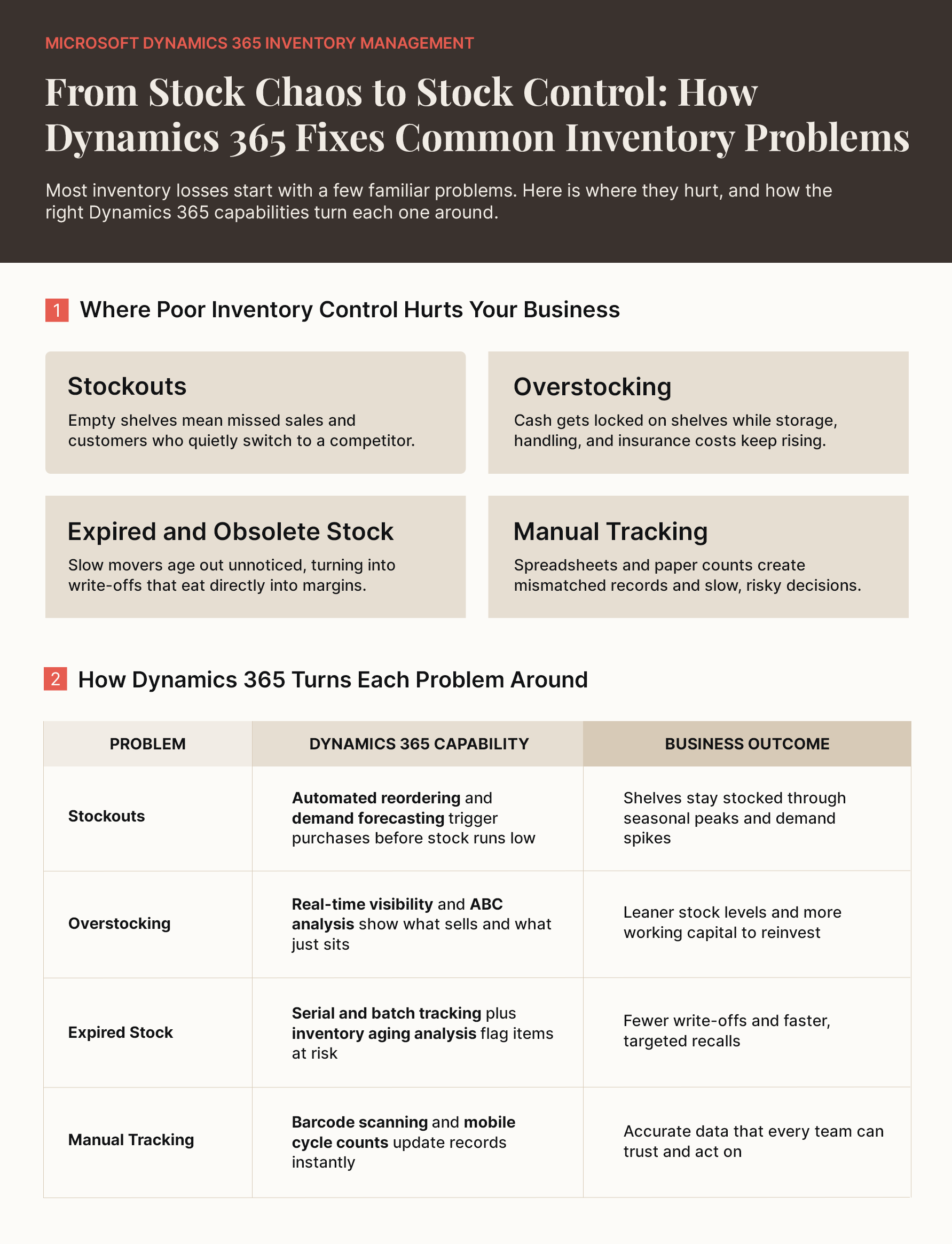
Microsoft Dynamics 365 transforms how businesses handle their inventory needs. Discover the essential benefits covering simplified inventory management, cost savings, healthier cash flow, and informed decision-making that enhance operational performance.
I. Simplified Inventory Management
Dynamics 365 provides an integrated solution through which all aspects of inventory management can be simplified. Due to constant fluctuations in supply and demand, businesses often struggle to manage their inventory levels efficiently.
With Microsoft Dynamics stock management, routine tasks like reordering, stock transfers, and count reconciliations run in the background. This frees teams from spreadsheet tracking so they can focus on exceptions, such as a sudden spike in demand.
II. Improved Order Fulfillment
Fulfilling customers’ demands in a timely manner is vital for any organization. If production is hindered due to a lack of essential supplies, businesses risk losing customers. Not to mention the loss of reputation. Dynamics 365 helps synchronize orders with inventory levels, so sales teams can check available stock before they commit to a delivery date. This results in fewer backorders and more accurate delivery timelines across all sales channels.
III. Cost Savings
Dynamics 365 improves control over stock levels. Using the solution, businesses are able to maintain optimal inventory. They can reduce stock from piling up in warehouses, taking up valuable space. The savings come from other sources, too. Lower stock levels reduce insurance, handling, and spoilage costs, as well as write-offs for obsolete items. Over time, removing excessive stock leads to significant cost savings each year.
IV. Enhanced Negotiations
With platforms like Dynamics 365, it’s easy to get in-depth information on raw materials as well as finished goods. These insights prove helpful when business owners need to negotiate with potential suppliers. Purchase history, on-time delivery rates, and lead time data show which vendors perform. This gives procurement teams solid facts to bargain for better pricing, volume discounts, or shorter lead times. They can determine which suppliers will bring the most value to their business.
V. Improved Traceability
Dynamics 365 allows users to locate specific items in the supply chain. So, if a certain product is faulty and needs to be recalled, they can track it down easily. This way, it doesn’t move down the supply chain. Likewise, if some items have expired, they can be discarded. For regulated industries like food, pharmaceuticals, and automotive, this end-to-end traceability also makes audits faster and helps contain a recall to the affected batch instead of an entire product line.
VI. Informed Decision-Making
Dynamics 365 empowers businesses to gain real-time visibility into their inventory levels. They know which items they have in stock, which ones are finished, and what’s selling more. Armed with such insights, they are able to make critical decisions regarding reordering, sales, and promotional strategies. Also, they can handle fluctuations in demand if the need arises.
VII. Healthier Cash Flow and Working Capital
Inventory is often one of the largest assets on a company’s balance sheet. Every unit that sits unsold ties up cash. By aligning purchases with actual demand, Dynamics 365 helps businesses carry only the stock they need. The cash released can be reinvested in growth initiatives or debt reduction instead of being locked away in a warehouse.
VIII. Scalability for Growth
As businesses grow, they add warehouses, sales channels, product lines, and even new countries. Dynamics 365 scales with this growth. New locations, legal entities, and currencies can be added without replacing the system. Because it runs in the cloud, businesses can also handle seasonal peaks without requiring extra on-premises infrastructure.
“Spending millions on supply chain planning automation can expand technical capabilities, but investment alone does not create AI readiness. Leaders must establish the necessary decision, talent and technology foundations before scaling AI-enabled planning. Otherwise, they risk funding technology that does not improve the planning decisions that matter most.”
– Buse Aras, Director Analyst, Gartner Supply Chain Practice
Which Dynamics 365 Application Is Right for Your Inventory Needs?
Dynamics 365 is not a single product but a family of applications, and each one handles inventory differently. Choosing the right fit depends on your company’s size, industry, and operational complexity. Here’s a quick overview to help you decide.
| Application | Best Suited For | Key Inventory Capabilities |
|---|---|---|
| Dynamics 365 Business Central | Small and mid-sized businesses | Item tracking, multi-location inventory, reorder planning, basic warehouse management, and integrated financials |
| Dynamics 365 Supply Chain Management | Large enterprises and manufacturers | Advanced warehouse management, demand planning, Inventory Visibility for high-volume real-time stock data, and Copilot-driven insights |
| Dynamics 365 Commerce | Retailers with online and in-store channels | Unified view of stock across stores, e-commerce, and distribution centers to support omnichannel fulfillment |
| Dynamics 365 Field Service | Service companies managing spare parts | Parts tracking across warehouses and technician vehicles, inventory adjustments, and transfers |
Many businesses also ask about Microsoft Dynamics CRM inventory management. Customer-facing apps like Dynamics 365 Sales are not built to manage stock on their own, but they can connect with Business Central or Supply Chain Management. This lets sales reps view real-time availability while quoting, which leads to more accurate promises to customers.
Business Central offers a fast, affordable path to D365 inventory management for growing companies, while Supply Chain Management is built for complex, multi-site operations. An experienced partner can help you assess your requirements and choose the right application, or the right combination, before you invest.
How Can You Implement Microsoft Dynamics 365 for Inventory Management?
Getting Dynamics 365 up and running for inventory management needs proper guidance. Discover the essential implementation phases, including requirement assessment, data migration, testing, and user training for effective rollout.
- Evaluate Business Requirements: To begin with, examine your requirements related to inventory management. Figure out the pain points that you want to address through Dynamics 365 implementation. These may include improving order fulfillment, reducing obsolete inventory, or boosting profit margins.
- Confirm the Right Application: Use the requirements you have documented to confirm which Dynamics 365 application fits best: Business Central, Supply Chain Management, Commerce, Field Service, or a combination.
- Customize the Solution: The chosen application needs to be tailored in accordance with your business objectives. This involves setting up warehouse locations, adding inventory items, and integrating it with other systems in the organization, such as POS, e-commerce, or legacy systems.
- Migrate Data: Once the solution has been configured, you need to move your existing data to Dynamics 365. Extract data from your older systems, modify it to match Dynamics 365’s requirements, and then add it to 365. At this stage, you may need to clean and update the data too.
- Test the Configured System: Before you start working on it, test the configured system to make sure it functions as intended. Conduct tests such as data validation or user acceptance testing to assess the system’s suitability for your business needs.
- Impart Training: It’s vital that your workforce is equipped with the know-how to use Dynamics 365 effectively. Organize training sessions and workshops to train them to navigate the system, add or remove stock items, generate reports for advanced analysis, and troubleshoot issues that may arise from time to time.
- Go Live and Optimize Regularly: The system will go live once all steps listed above have been taken care of. The system will require continuous optimization to ensure it remains aligned with your goals and delivers the intended ROI.
The Final Word
Dynamics 365 comes with a suite of powerful features for inventory management. From real-time visibility and multi-location tracking to advanced reporting, it provides the tools your business needs to optimize stock levels, augment profitability, and elevate customer satisfaction. However, its implementation entails a well-thought-out approach and extensive industry experience.
Partnering with a technology services provider like Damco helps you alleviate such concerns. We work closely with your teams to help you seamlessly transition to Dynamics 365, while ensuring a strong ROI from your tech investments.
References:
Frequently Asked Questions
Microsoft Dynamics inventory management is a tool that helps businesses track and control their stock. It shows you what products you have, where they are stored, and when you need to reorder. The system updates automatically as items move in and out, helping prevent shortages or overstocking situations.
Yes! Dynamics 365 is designed to work with multiple warehouses and locations seamlessly. You can manage warehouses, distribution centers, and retail stores all from the same platform. It tracks inventory separately for each location while giving you a holistic view of your total stock.
Dynamics 365 monitors inventory continuously by connecting to all your business processes. As transactions occur throughout the day, the system captures and reflects those changes instantly. This live updating eliminates delays and ensures everyone sees the same accurate stock information at any given moment.
Yes, Dynamics 365 can integrate with various warehouse automation systems. It connects with barcode scanners, automated storage systems, conveyor controls, and robotic equipment. These integrations help streamline operations by letting your automation tools communicate directly with your MS Dynamics inventory management system for better efficiency.


